See pamprr in motion.
Watch the film, then follow the day from the home screen to the numbers.
Your day starts here.
Today’s appointments and what needs confirming, together. The week’s figures and quick actions are close by.
Explore the features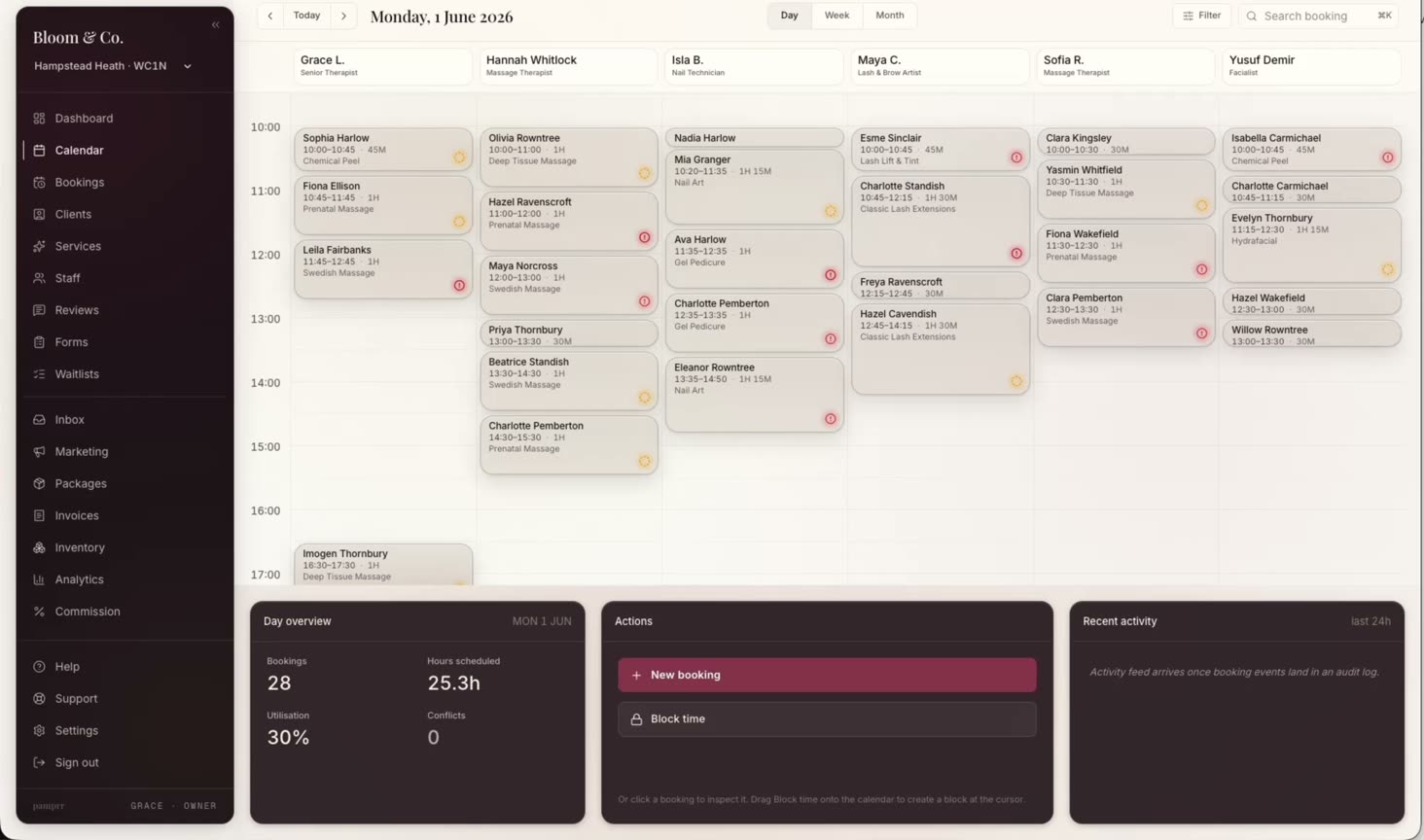
Make room for everyone.
See the week in staff lanes, with time blocks for time away. Your team’s calendars stay in step.
Explore the featuresEvery booking, in view.
Open a booking to see the client, service, staff and payment status. Confirm, cancel or refund from its detail.
Explore the featuresPick up the conversation.
The client record brings history and notes together. The inbox keeps the conversation beside its context.
Explore the featuresBring the payment together.
Take payment at the desk and see the tip alongside it. Manage invoices, refunds and payouts in the same business account.
Explore the featuresSee what is working.
Explore revenue, bookings and returning clients across seven charts. Choose a date range or location, then export the figures.
Explore the features- Create the account1 min
An email address and a password. Setup is free until you go live.
- Add services and hours5 min
Your menu, your prices, the week you actually work.
- Connect payments3 min
Stripe onboarding, then deposits and card payments from the first booking.